|
|
|
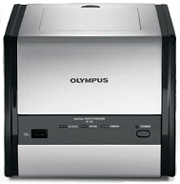
Olympus
P-11 Dye-Sub Photo
Printer The
new Olympus
P-11 dye-sub photo
printer
cranks out perfect (and I mean
perfect) 4x6" prints in
just over 30 seconds. With
true photo lab quality and
durability, it's the best
snapshot sized photo printer
I've ever used. There
are two distinct advantages to
using a dye-sub printer.
First, there are no ink
nozzles to dry out or clog up.
Second, the professional look,
feel, and durability of a
dye-sub print simply can't be
beaten. Three
color passes plus a clear
overcoating Like
professional quality photo lab
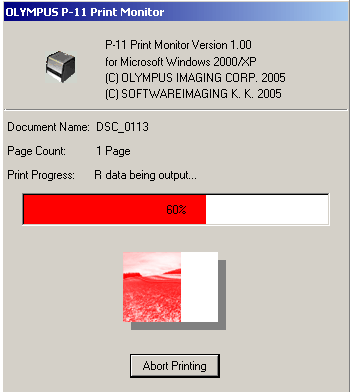
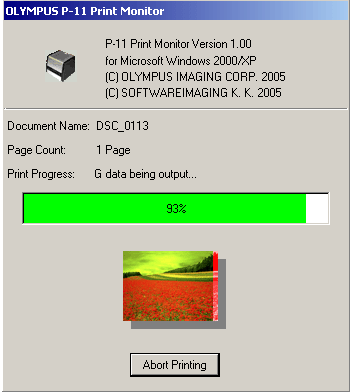
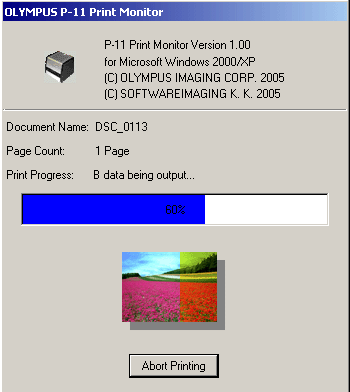
printers, the P-11 produces its color
by combining cyan, magenta, and yellow
in three thermal dye diffusion passes
plus a clear overcoat in what's called
the subtractive
color printing
process. #1
#2
#3
Because
the entire printing cycle is enclosed
within the printer, plus the fact that
there is no ink to clog up or leak,
there is no maintenance or periodic
cleaning necessary. The
prints come out of the printer ready to
display. (Most small format printers
have microcut or perforated end tabs to
snap or tear off to get a finished
print.) The
finished prints are bright, slick, and
snappy, and are as good & durable
as the best photo lab prints I've ever
seen. Priced
at around $149, the P-11 has a finished
4" x 6" print cost of around 30 cents
apiece. (Finished print price includes
the costs of both the paper and the
color ribbon). In
summary, the P-11 is reasonably priced,
economic to operate, fast, quiet, easy
to install & use, and produces
virtually perfect color. What more
could one ask for? What's
in the box: You'll
also need to buy: One
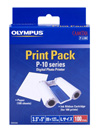
or more P-10 series Print
Packs. P-10 Print Packs fit
both the Olympus P-10 (an
earlier model) and the P-11
printers. The Print Packs come
with a matched set of paper
and color ribbons. The
quantity of paper and color
ribbon match one to one, there
is exactly enough color ribbon
for the quantity of paper in
the box. Specifications Print
Technology Dye-sublimation Resolution 310
dpi (Outstanding!) Colors Over
16,770,000 colors Print
Speed 33
seconds or less from start to
finish (excludes data
transmission time.) Paper
Size 4”
x 6” (or) 3.5” x
5” **. **
Included adapter required for
3.5” x 5”
paper. Maximum
Print Area Edge
to edge (border less) or with
border (selectable in printer
software). Paper
Feed Tray Hidden,
self-contained paper tray
holds up to 50
sheets. Paper
Exit Top
lid flips up for printing,
finished prints stack inside
the top of the
printer. Ribbon
Cartridge Self-contained
& hidden inside printer
case via access
door. Image
File Formats Exif
1.0 – Exif 2.2,
DPOF. I/O
USB Connections USB
A type PictBridge (camera to
printer) connector on front
panel. USB
B type (computer to printer)
connector on left side panel
behind access door. Printer
Drivers compatible
with: Windows
2000/XP, MAC OS 10.2 or
higher. Print
Modes Print
single image, print all, index
print, multi-copies, select
with or without borders, print
dates. Power
Supply AC
adapter (24V, 2.5A) included
with printer, 100 – 240V,
50/60Hz, 1.5A max. Dimensions 7.3”
(W) x 7.1” (D) x
6.2” (H) Weight 5.1
lbs. |